Start here
What is Arrow Game?
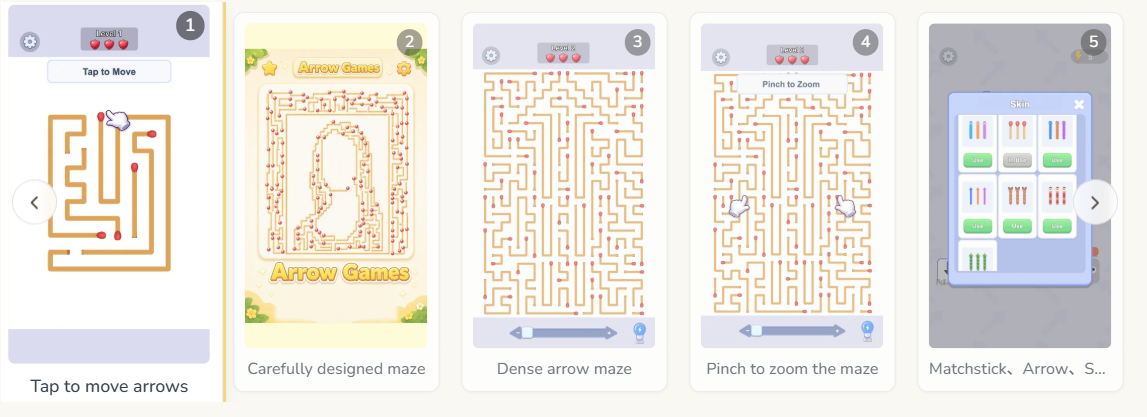
Arrow Game is a direction-based puzzle experience where you read the
board, choose a safe order, and send pieces toward their exits. Some
levels feel like compact mazes, while others add falling groups,
cages, or spatial rotation.
The controls stay approachable, but the decisions become more
interesting as paths overlap. You can play a quick round on a phone or
settle in at a larger screen when a dense board needs closer
inspection.
Why it works
Arrow Game Features
🎯Plan before you tap
Read the whole board and choose a move that opens the next route
instead of creating a new blocker.
🧩Several puzzle styles
Move between flat arrow mazes, rescue boards, gravity puzzles, and
3D clusters without leaving the collection.
📱Touch-friendly controls
Tap on mobile or click with a mouse. Each game keeps its
interaction focused on the puzzle itself.
🧠Useful brain practice
Build observation, sequencing, spatial reasoning, and
risk-management habits while you play.
Before you start
Arrow Game System Requirements
- 📱 DeviceCurrent phone, tablet, or desktop browser.
- 🌐 ConnectionInternet access for the hosted game frame.
- 🖱️ InputTouch, mouse, or trackpad depending on the game.
- 💾 StorageNo separate installation required.
The goal
Game Objectives
Most Arrow Games ask you to clear a board without trapping the
remaining pieces. A good move removes one obstacle and improves the
next position. In a rescue puzzle, the target may be a full counter;
in a gravity puzzle, you also protect a lower boundary; in a 3D
puzzle, you balance open exits with tray space.
- ↗Find arrows whose paths are already open.
- ↗Choose an order that exposes more useful moves.
- ↗Watch for a new risk after pieces move or fall.
- ↗Finish the board instead of chasing a fast but unsafe tap.
A simple rhythm
How to Play Arrow Game
- 1Open a game and take a moment to scan the entire board.
- 2Trace one or two possible exit routes before selecting a piece.
- 3Tap or click the arrow that has a clear lane.
- 4After the board changes, pause and make a new plan.
- 5Use Full Screen when a small board is easier to understand
without distractions.
Quick tip: When a move does nothing, stop repeating it.
Find the piece blocking that lane, clear it first, and then reread the board.
When you want to practice a simple open-path rhythm, start with Arrow Rescue. For a more spatial challenge, try Magic Cube Puzzle.
A better break
Why Play This Arrow Game?
Directional puzzles are satisfying because every clear move has a
visible reason. You can slow down, test a sequence, and learn from a
blocked path without needing complex controls or a long tutorial.
Arrow Game also makes it easy to switch moods. Choose a short board
for a break, a rescue level when you want a life budget, or Arrow Puzzle Fall when you want each board change to matter.
Player questions
Frequently Asked Questions
Are Arrow Games free to play?
Yes. The games on this first release are available in the browser
without a separate download.
Can I play on a phone?
Yes. The featured games use touch-friendly controls, although a
larger screen can make dense boards easier to inspect.
Does the iframe load immediately?
No. The page shows a cover first. The hosted game frame begins
loading only after you click Play Now.
What should I do when an arrow is blocked?
Do not keep tapping it. Find the piece occupying its route, clear
that blocker, and then reassess the board.




Share your best Arrow Game tips
Share a useful route, a clever sequence, or a correction that can help the next player.
Comments are not collected on this independent fan site.
To report a broken game frame or suggest a guide correction, email [email protected] with the page URL.